For this assignment, I used Google Sketch for the first time. The objective was to play around with the many buttons and programs on Google Sketch to create 2D shapes and 3D shapes on a 2D axis. Also, I had to write out my name and make it 3D. The process was frustrating and a little time consuming, considering that the line tool doesn't do what I want it to.
Friday, April 26, 2013
Wednesday, April 24, 2013
Realistic Pendrive
This assignment was to create a realistic thumbnail/flash drive out of rectangles and ellipses by using Adobe Illustrator. I had to set the gradients to very specific numbers or else the end product would look very off. Using the Line Tool is very difficult for a first timer, and I guess I'll have to practice using that tool as well.
Link: http://www.tutorialboard.net/create-realistic-pendriveas-adobe-illustrator/
Monday, April 15, 2013
Soft Blur
Friday, April 12, 2013
Quick Mask
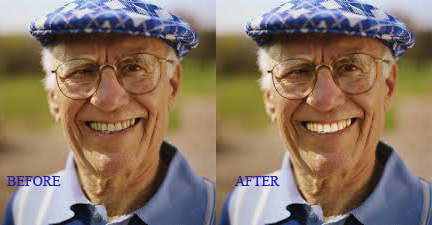
This assignment is to use masking techniques to make detailed changes to photos. I now know how photo editors whiten teeth on models.
Link: http://www.tutorialboard.net/using-a-quick-mask-to-make-a-detailed-selection/
MCSM Brochure
This assignment is to create a brochure about Manhattan Center For Science and Math (MCSM). More specifically, about my daily schedule. This was done on Microsoft Publisher and I learned to save all publications on a PDF file.
Thursday, April 4, 2013
Smart Filters
GO GO GO!!!!! From tutorial board, a project utilizing "smart filters" to create an illusion of a moving object. After choosing a sports car called a "Lamborghini" in an attractive shade of orange, I opened it on Photoshop as a "Smart Object." After selecting a blur option and brush option, the filter allows you to "erase" the blurs on the car but keep the background, making it seem like the car is moving. This project took me 15 minutes at the most. It's only 17 steps long and doesn't require this option or that filter or this image and that mode.
Link: http://www.tutorialboard.net/understanding-and-using-smart-filters-in-photoshop-for-dynamic-adjustments/
Wednesday, April 3, 2013
Fashion Show Flyer
It's that time of year again. The time where before a long spring break, the fashionable and artistic students of MCSM will put on a fashion show to show off clothing that falls into a category of style. This event will no doubt inspire a slew of assignments from teachers to commemorate it. Why not a student-made flyer? The date and location has been provided, and yes, I discovered how fun it was to play around with text effects and shadowing.
Subscribe to:
Posts (Atom)